
// prototype.jsx — Hochzeitsseite (DE/FR/EN) · Sprache → Login → Home → RSVP
//
// Mehrsprachig: alle Texte stehen in `i18n.jsx` (Datei vorher laden!).
// Daten kommen über Supabase-RPCs aus `config.jsx` (supaRpc-Helper).
// Session = guest-Object + Token, in localStorage als SESSION_KEY.

// ── Palette (Silver Deco) ───────────────────────────────────
const C = {
  bg: "#DEDDD7",
  surface: "#EBEAE4",
  ink: "#0F0F12",
  soft: "#5A5A5C",
  faint: "#9A9A95",
  hairline: "rgba(15,15,18,0.35)",
  frame: "rgba(15,15,18,0.65)",
};
const Fserif = "'Italiana','Cormorant Garamond',Georgia,serif";
const Fsans  = "'Manrope',system-ui,sans-serif";

// Mock-DB + lokale Helfer wurden entfernt — RSVP_DEADLINE und SESSION_KEY
// kommen aus config.jsx, Daten via supaRpc("wedding_*", ...).

// ── Gemeinsame UI-Bausteine ─────────────────────────────────
const DecoDiv = ({ width = 140, color = C.ink }) => (
  <div style={{ display: "flex", alignItems: "center", justifyContent: "center", gap: 10, color }}>
    <div style={{ height: 1, width: width / 2 - 14, background: color }} />
    <svg width="22" height="10" viewBox="0 0 22 10">
      <line x1="0" y1="5" x2="6" y2="5" stroke={color} strokeWidth="1"/>
      <rect x="9" y="2" width="4" height="4" transform="rotate(45 11 4)" fill={color}/>
      <line x1="16" y1="5" x2="22" y2="5" stroke={color} strokeWidth="1"/>
    </svg>
    <div style={{ height: 1, width: width / 2 - 14, background: color }} />
  </div>
);

const Frame = ({ children, padding = 36, inset = 18, color = C.frame, style, className }) => (
  <div className={className} style={{ position: "relative", padding, ...style }}>
    <div style={{ position: "absolute", inset, border: `1px solid ${color}`, pointerEvents: "none" }} />
    {["top","bottom"].map(side =>
      <div key={side} style={{ position: "absolute", [side]: inset, left: "50%",
        transform: `translate(-50%, ${side === "top" ? "-50%" : "50%"}) rotate(45deg)`,
        width: 6, height: 6, background: color }} />
    )}
    {["left","right"].map(side =>
      <div key={side} style={{ position: "absolute", top: "50%", [side]: inset,
        transform: `translate(${side === "left" ? "-50%" : "50%"}, -50%) rotate(45deg)`,
        width: 6, height: 6, background: color }} />
    )}
    {children}
  </div>
);

const TopBar = ({ right, className }) => (
  <div className={["wd-topbar", className].filter(Boolean).join(" ")} style={{
    display: "flex", alignItems: "center", justifyContent: "space-between",
    padding: "14px 22px", borderBottom: `1px solid ${C.hairline}`,
  }}>
    <div style={{ fontFamily: Fserif, fontSize: 22, color: C.ink }}>J &amp; A</div>
    <div style={{ fontFamily: Fsans, fontSize: 10, letterSpacing: 2.6, color: C.soft }}>
      29 · VIII · MMXXVI
    </div>
    {right || <span style={{ width: 20 }}/>}
  </div>
);

const btn = (filled) => ({
  fontFamily: Fsans, fontSize: 12, fontWeight: 600, letterSpacing: 4.5,
  color: filled ? C.bg : C.ink,
  background: filled ? C.ink : "transparent",
  border: `1px solid ${C.ink}`, height: 56, cursor: "pointer",
});

// ─── Screen 1: Sprache ───────────────────────────────────────
// Die Sprachwahl selbst ist bilingual — kein t()-Switch nötig (sie zeigt
// beide Sprachen). Verwendet aber die Schlüssel "lang.*", damit ihr sie
// trotzdem zentral pflegen könnt.
const LanguageContent = ({ onChoose, mode }) => {
  const t = useT();
  const big = mode === "desktop";
  return (
    <>
      <div style={{ fontFamily: Fsans, fontSize: 11, fontWeight: 500, letterSpacing: 3.6, textTransform: "uppercase", color: big ? C.soft : C.ink }}>
        {t("lang.eyebrow")}
      </div>

      <div>
        <div style={{ fontFamily: Fserif, fontSize: big ? "clamp(56px,6vw,92px)" : "clamp(40px,12vw,60px)", lineHeight: 0.95, color: C.ink }}>Jordan</div>
        <div style={{ fontFamily: Fserif, fontStyle: "italic", fontSize: big ? 28 : 22, color: C.soft, margin: big ? "6px 0" : "2px 0" }}>&amp;</div>
        <div style={{ fontFamily: Fserif, fontSize: big ? "clamp(56px,6vw,92px)" : "clamp(40px,12vw,60px)", lineHeight: 0.95, color: C.ink }}>Alisha</div>
        <div style={{ marginTop: big ? 22 : 14 }}><DecoDiv color={C.ink} width={big ? 200 : 140} /></div>
        <div style={{ fontFamily: Fsans, fontSize: big ? 13 : 12, letterSpacing: 6, marginTop: 12, color: C.ink }}>{t("lang.dateText")}</div>
      </div>

      <div style={{ width: "100%", maxWidth: big ? 380 : 320, display: "flex", flexDirection: "column", gap: 10 }}>
        <div style={{ fontFamily: Fsans, fontSize: 10, fontWeight: 500, letterSpacing: 3.6, textTransform: "uppercase", color: C.soft, marginBottom: 2 }}>
          {t("lang.choose")}
        </div>
        <button onClick={() => onChoose("de")} style={{ ...btn(false), height: 52 }}>{t("lang.btn.de")}</button>
        <button onClick={() => onChoose("fr")} style={{ ...btn(false), height: 52 }}>{t("lang.btn.fr")}</button>
        <button onClick={() => onChoose("en")} style={{ ...btn(false), height: 52 }}>{t("lang.btn.en")}</button>
      </div>
    </>
  );
};

const LanguageScreen = ({ onChoose }) => (
  <>
    <div className="wd-lang-mobile" style={{ height: "100dvh", overflow: "hidden" }}>
      <Frame inset={14} padding={0} color={C.frame} style={{ height: "100%" }}>
        <div className="wd-lang-inner" style={{
          height: "100%", display: "flex", flexDirection: "column",
          alignItems: "center", justifyContent: "space-between",
          padding: "min(32px,4vh) 28px",
          textAlign: "center", color: C.ink,
        }}>
          <LanguageContent onChoose={onChoose} mode="mobile" />
        </div>
      </Frame>
    </div>

    <div className="wd-lang-desktop">
      <div className="wd-lang-desktop-photo">
        <img src="photos/hero.jpg" alt=""
          onError={(e) => { e.currentTarget.style.display = "none"; }} />
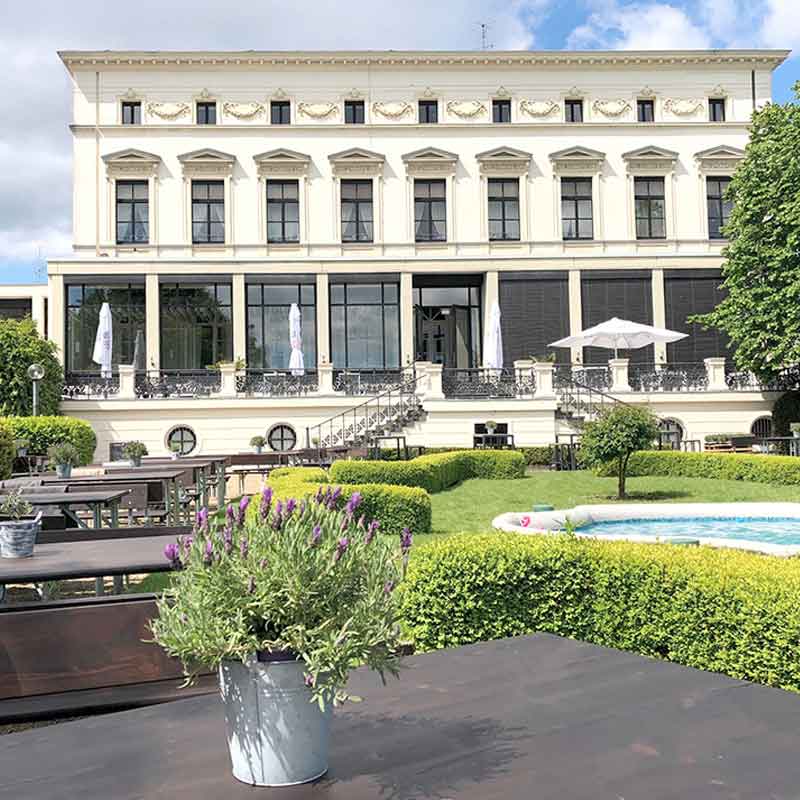
      </div>
      <div className="wd-lang-desktop-content">
        <LanguageContent onChoose={onChoose} mode="desktop" />
      </div>
    </div>
  </>
);

// ─── Screen 2: Login ─────────────────────────────────────────
const LoginScreen = ({ onLogin, lang, onLangSwitch }) => {
  const t = useT();
  const [u, setU] = React.useState("");
  const [p, setP] = React.useState("");
  const [show, setShow] = React.useState(false);
  const [err, setErr] = React.useState(null);
  const [busy, setBusy] = React.useState(false);

  const submit = async (e) => {
    e.preventDefault();
    setBusy(true); setErr(null);
    try {
      const result = await supaRpc("wedding_login", {
        p_username: u.trim().toLowerCase(),
        p_password: p,
      });
      if (result && result.token) {
        onLogin({ token: result.token, ...result.guest });
      } else {
        setErr(t("login.error"));
        setBusy(false);
      }
    } catch (e) {
      console.error(e);
      setErr(t("login.error"));
      setBusy(false);
    }
  };

  // ⚠️ Bewusst eine normale Funktion (kein React-Komponententyp), damit React
  // die <input>-Elemente bei jedem Tastendruck NICHT als „neuer Komponententyp"
  // sieht und remounted (Fokus-Bug: Cursor sprang sonst aufs Username-Feld).
  const renderFormBody = (centered = true) => (
    <>
      <div style={{ textAlign: centered ? "center" : "left", marginBottom: 36 }}>
        <div style={{ display: centered ? "block" : "none" }}>
          <DecoDiv width={120} color={C.ink}/>
        </div>
        <div style={{ fontFamily: Fserif, fontSize: centered ? 54 : 64, lineHeight: 1.02, marginTop: centered ? 18 : 0, color: C.ink }}>
          {t("login.title")}
        </div>
        <div style={{ fontFamily: Fserif, fontStyle: "italic", fontSize: centered ? 18 : 22, color: C.soft, marginTop: 4 }}>
          {t("login.subtitle")}
        </div>
        <div style={{ fontFamily: Fsans, fontSize: 13, lineHeight: 1.65, color: C.soft, marginTop: 16, padding: centered ? "0 8px" : 0, maxWidth: 380 }}>
          {t("login.intro")}
        </div>
      </div>

      <form onSubmit={submit} style={{ display: "flex", flexDirection: "column", gap: 22 }}>
        <Field label={t("login.username")} value={u} onChange={setU} autoComplete="username" autoFocus inputMode="email" />
        <Field label={t("login.password")} value={p} onChange={setP}
          type={show ? "text" : "password"} autoComplete="current-password"
          trailing={
            <button type="button" onClick={() => setShow(s => !s)} style={{
              background: "transparent", border: "none", padding: 0, cursor: "pointer",
              fontFamily: Fsans, fontSize: 11, letterSpacing: 2, color: C.soft,
            }}>{show ? t("login.hide") : t("login.show")}</button>
          }
        />

        {err && <div style={{ fontFamily: Fsans, fontSize: 13, color: "#7A1F1F", padding: "10px 14px", background: "rgba(122,31,31,0.06)", border: `1px solid rgba(122,31,31,0.25)` }}>{err}</div>}

        <button type="submit" disabled={busy || !u || !p} style={{
          marginTop: 6, fontFamily: Fsans, fontSize: 12, fontWeight: 600, letterSpacing: 4,
          color: C.bg, background: C.ink, height: 58, border: "none",
          cursor: busy || !u || !p ? "default" : "pointer",
          opacity: busy || !u || !p ? 0.5 : 1,
        }}>{busy ? t("login.submitting") : t("login.submit")}</button>

        <div style={{ textAlign: centered ? "center" : "left" }}>
          <a href="mailto:hello@jordan-alisha.com" style={{
            fontFamily: Fserif, fontStyle: "italic", fontSize: 15, color: C.soft,
            textDecoration: "none", borderBottom: `1px solid ${C.faint}`, paddingBottom: 2,
          }}>{t("login.forgot")}</a>
        </div>
      </form>

    </>
  );

  const LangToggle = () => (
    <button onClick={onLangSwitch} style={{ background: "transparent", border: "none", padding: 0, cursor: "pointer",
      fontFamily: Fsans, fontSize: 11, letterSpacing: 2.6, color: C.ink }}>
      {lang.toUpperCase()} ↻
    </button>
  );

  return (
    <>
      {/* ── Mobile-Layout ── */}
      <div className="wd-login wd-login-mobile">
        <div className="wd-login-card" style={{ display: "flex", flexDirection: "column" }}>
          <div style={{ display: "flex", justifyContent: "space-between", padding: "20px 24px 0" }}>
            <div style={{ fontFamily: Fserif, fontSize: 22, color: C.ink }}>J &amp; A</div>
            <LangToggle/>
          </div>
          <div style={{ flex: 1, padding: "44px 28px 32px", display: "flex", flexDirection: "column", justifyContent: "center" }}>
            {renderFormBody(true)}
          </div>
        </div>
        <div style={{ padding: "0 0 18px" }}>
          <DecoDiv width={140} color={C.faint}/>
        </div>
      </div>

      {/* ── Desktop-Layout (ab 900px) ── */}
      <div className="wd-login-desktop">
        <div className="wd-login-desktop-photo">
          <img src="photos/hero.jpg" alt=""
            onError={(e) => { e.currentTarget.style.display = "none"; }} />
          <div className="wd-login-desktop-overlay">
            <div style={{ fontFamily: Fserif, fontSize: 64, color: "#fff", lineHeight: 1 }}>J &amp; A</div>
            <div style={{ fontFamily: Fsans, fontSize: 11, letterSpacing: 4, color: "rgba(255,255,255,0.85)", marginTop: 18 }}>
              29 · VIII · MMXXVI
            </div>
            <div style={{ marginTop: 22, color: "rgba(255,255,255,0.6)" }}>
              <DecoDiv width={120} color="rgba(255,255,255,0.6)"/>
            </div>
            <div style={{ fontFamily: Fserif, fontStyle: "italic", fontSize: 20, color: "rgba(255,255,255,0.85)", marginTop: 22, lineHeight: 1.4 }}>
              {t("login.heroLine1")}<br/>{t("login.heroLine2")}
            </div>
          </div>
        </div>

        <div className="wd-login-desktop-pane">
          <div className="wd-login-desktop-topbar">
            <span style={{ fontFamily: Fsans, fontSize: 10, letterSpacing: 3, color: C.soft, textTransform: "uppercase" }}>
              {t("login.eyebrow")}
            </span>
            <LangToggle/>
          </div>
          <div className="wd-login-desktop-form">
            {renderFormBody(false)}
          </div>
          <div className="wd-login-desktop-footer">
            <DecoDiv width={140} color={C.faint}/>
          </div>
        </div>
      </div>
    </>
  );
};

const Field = ({ label, value, onChange, trailing, type = "text", ...rest }) => (
  <label style={{ display: "block" }}>
    <div style={{ fontFamily: Fsans, fontSize: 10, letterSpacing: 2.6, color: C.soft, textTransform: "uppercase", marginBottom: 10 }}>
      {label}
    </div>
    <div style={{ borderBottom: `1px solid ${C.ink}`, paddingBottom: 8, display: "flex", alignItems: "center", gap: 10 }}>
      <input type={type} value={value} onChange={e => onChange(e.target.value)} {...rest}
        style={{ flex: 1, border: "none", background: "transparent", outline: "none",
          fontFamily: Fserif, fontSize: 22, color: C.ink, padding: "4px 0", minWidth: 0,
          letterSpacing: type === "password" ? 6 : 0,
        }} />
      {trailing}
    </div>
  </label>
);

// ─── Screen 3: Home + RSVP ───────────────────────────────────
const HomeScreen = ({ guest, onLogout, onGuestUpdate }) => {
  const t = useT();
  // Initial-State aus dem geladenen Gast-Objekt (kommt vom Login bzw. wedding_me)
  const hasAnswered = guest.rsvp_status === "yes" || guest.rsvp_status === "no";
  const [status, setStatus]   = React.useState(hasAnswered ? guest.rsvp_status : null);
  const [count,  setCount]    = React.useState(guest.rsvp_attendees ?? guest.max_attendees);
  const [diet,   setDiet]     = React.useState(guest.rsvp_dietary ?? "");
  const [savedAt, setSavedAt] = React.useState(guest.rsvp_submitted_at ?? null);
  const [editing, setEditing] = React.useState(!hasAnswered);
  const [saveErr, setSaveErr] = React.useState(null);
  const [saving,  setSaving]  = React.useState(false);

  const locked = new Date() > RSVP_DEADLINE;

  // Greeting-Logik: wenn members vorhanden, jede Person mit ihrer eigenen Anrede
  // ("Lieber Enzo, liebe Lena"). Sonst Fallback auf display_name + salutation.
  const members = Array.isArray(guest.members) && guest.members.length > 0 ? guest.members : null;
  const heroGreeting = members
    ? members.map((m, i) => {
        const word = t("home.welcomePrefix." + (m.salutation || "family"));
        return (i === 0 ? word : word.toLowerCase()) + " " + m.name;
      }).join(", ")
    : t("home.welcomePrefix." + (guest.salutation || "family")) + " " + guest.display_name;
  const formalGreeting = members
    ? [
        t("greeting.greet." + (members[0].salutation || "family")) + " " + members[0].name,
        ...members.slice(1).map(m =>
          t("home.welcomePrefix." + (m.salutation || "family")).toLowerCase() + " " + m.name
        ),
      ].join(", ")
    : t("greeting.greet." + (guest.salutation || "family")) + " " + guest.display_name;

  const submit = async () => {
    if (locked || saving) return;
    setSaving(true); setSaveErr(null);
    try {
      const result = await supaRpc("wedding_save_rsvp", {
        p_token:     guest.token,
        p_status:    status,
        p_attendees: status === "yes" ? count : null,
        p_dietary:   status === "yes" ? diet : null,
      });
      if (result?.error) {
        setSaveErr(result.error === "deadline_passed" ? t("lock.title") : t("login.error"));
        setSaving(false);
        return;
      }
      const submittedAt = result?.submitted_at || new Date().toISOString();
      setSavedAt(submittedAt);
      setEditing(false);
      setSaving(false);
      // Lokale Session aktualisieren, damit Refresh den Status zeigt
      onGuestUpdate?.({
        ...guest,
        rsvp_status:       status,
        rsvp_attendees:    status === "yes" ? count : null,
        rsvp_dietary:      status === "yes" ? diet : null,
        rsvp_submitted_at: submittedAt,
      });
      requestAnimationFrame(() => document.getElementById("confirmation")?.scrollIntoView({ behavior: "smooth", block: "center" }));
    } catch (e) {
      console.error(e);
      setSaveErr(t("login.error"));
      setSaving(false);
    }
  };

  const rsvpRef = React.useRef(null);
  const scrollToRsvp = () => rsvpRef.current?.scrollIntoView({ behavior: "smooth", block: "start" });

  // Programmpunkte: scope "all" = nur Ganztagsgäste, "evening" = alle (auch Evening-Gäste).
  // Evening-Gäste steigen erst zur Party um 20:30 ein.
  const programmeRows = [
    { t: "14:30", k: t("programme.it.meeting"), s: t("programme.it.meetingSub"), scope: "all" },
    { t: "15:00", k: t("programme.it.trauung"), s: t("programme.it.trauungSub"), scope: "all" },
    { t: "16:00", k: t("programme.it.sekt"),    s: t("programme.it.sektSub"),    scope: "all" },
    { t: "17:15", k: t("programme.it.hall"),    s: t("programme.it.hallSub"),    scope: "all" },
    { t: "18:30", k: t("programme.it.dinner"),  s: t("programme.it.dinnerSub"),  scope: "all" },
    { t: "20:30", k: t("programme.it.party"),   s: t("programme.it.partySub"),   scope: "evening" },
  ].filter(r => guest.invitation_scope === "all" || r.scope === "evening");

  return (
    <div className="wd-home" style={{ background: C.bg, minHeight: "100%" }}>
      <TopBar right={
        <button onClick={onLogout} aria-label={t("topbar.logout")} style={{ background: "transparent", border: "none",
          fontFamily: Fsans, fontSize: 10, letterSpacing: 2, color: C.soft, cursor: "pointer", padding: 4 }}>
          {t("topbar.logout")}
        </button>
      }/>

      {/* Hero */}
      <div className="wd-hero">
        <div className="wd-hero-photo" style={{ padding: "28px 24px 0" }}>
          <div style={{ fontFamily: Fsans, fontSize: 10, fontWeight: 500, letterSpacing: 3.6, textTransform: "uppercase", color: C.soft, textAlign: "center", marginBottom: 14 }}>
            {heroGreeting}
          </div>
          <Frame className="wd-frame" inset={0} padding={10} color={C.frame}>
            <div style={{ background: "#000", aspectRatio: "9/16", overflow: "hidden" }}>
              <img src="photos/hero.jpg" alt=""
                style={{ width: "100%", height: "100%", objectFit: "cover", objectPosition: "center 60%", display: "block" }}
                onError={(e) => { e.currentTarget.style.display = "none"; }} />
            </div>
          </Frame>
        </div>

        <div className="wd-names" style={{ padding: "36px 32px", textAlign: "center" }}>
          <div style={{ fontFamily: Fserif, fontSize: "clamp(56px,18vw,96px)", color: C.ink, lineHeight: 0.95 }}>Jordan</div>
          <div className="wd-deco-div" style={{ margin: "14px 0" }}><DecoDiv color={C.ink}/></div>
          <div style={{ fontFamily: Fserif, fontSize: "clamp(56px,18vw,96px)", color: C.ink, lineHeight: 0.95 }}>Alisha</div>
          <div style={{ fontFamily: Fserif, fontStyle: "italic", fontSize: "clamp(22px,2.2vw,28px)", color: C.soft, marginTop: 22, lineHeight: 1.3 }}>
            {t(guest.invitation_scope === "evening" ? "home.unionText.evening" : "home.unionText")}<br/>
            <span style={{ fontFamily: Fsans, fontStyle: "normal", fontSize: 12, letterSpacing: 4, color: C.ink }}>
              {t("home.dateBadge")}
            </span>
          </div>

          <button className="wd-names-cta" onClick={scrollToRsvp} style={{
            marginTop: 28, fontFamily: Fsans, fontSize: 12, fontWeight: 600, letterSpacing: 3,
            color: C.bg, background: C.ink, border: "none", padding: "16px 28px", cursor: "pointer",
          }}>
            {t("home.toRsvp")}
          </button>
        </div>
      </div>

      {/* Begrüßung & Dresscode */}
      <div className="wd-greeting" style={{ background: C.bg, padding: "8px 32px 56px" }}>
        <div style={{ maxWidth: 560, margin: "0 auto", textAlign: "center" }}>
          <div style={{ marginBottom: 26 }}><DecoDiv color={C.ink}/></div>

          <div style={{ fontFamily: Fserif, fontStyle: "italic", fontSize: 22, color: C.ink, marginBottom: 18, lineHeight: 1.3 }}>
            {formalGreeting},
          </div>
          <p style={{ fontFamily: Fserif, fontSize: 16, lineHeight: 1.7, color: C.soft, margin: 0 }}>
            {t("greeting.intro")}
          </p>
          <p style={{ fontFamily: Fserif, fontStyle: "italic", fontSize: 15, lineHeight: 1.6, color: C.soft, margin: "18px 0 0" }}>
            {t("greeting.kidsNote")}
          </p>

          <div style={{ marginTop: 40, marginBottom: 18 }}><DecoDiv color={C.ink} width={100}/></div>
          <div style={{ fontFamily: Fsans, fontSize: 10, fontWeight: 500, letterSpacing: 3.6, textTransform: "uppercase", color: C.ink, marginBottom: 10 }}>
            {t("greeting.dresscodeTitle")}
          </div>
          <p style={{ fontFamily: Fserif, fontStyle: "italic", fontSize: 15, lineHeight: 1.6, color: C.soft, margin: 0 }}
             dangerouslySetInnerHTML={{ __html: t("greeting.dresscodeBody") }} />
        </div>
      </div>

      {/* Programm */}
      <div className="wd-programme" style={{ background: C.surface, padding: "44px 32px" }}>
        <div className="wd-programme-inner">
          <div style={{ textAlign: "center", marginBottom: 28 }}>
            <div style={{ fontFamily: Fsans, fontSize: 10, fontWeight: 500, letterSpacing: 3.6, textTransform: "uppercase", color: C.ink, marginBottom: 8 }}>{t("programme.eyebrow")}</div>
            <div style={{ fontFamily: Fserif, fontSize: 32, color: C.ink }}>{t("programme.title")}</div>
            {guest.invitation_scope === "evening" && (
              <div style={{ fontFamily: Fserif, fontStyle: "italic", fontSize: 14, color: C.soft, marginTop: 8, padding: "0 16px" }}>
                {t("programme.eveningOnly")}
              </div>
            )}
          </div>

          <div style={{ display: "flex", flexDirection: "column", gap: 22, alignItems: "center", textAlign: "center" }}>
            {programmeRows.map((row, i, arr) => (
              <React.Fragment key={i}>
                <div>
                  <div style={{ fontFamily: Fsans, fontSize: 11, letterSpacing: 3.6, color: C.soft }}>{row.t}</div>
                  <div style={{ fontFamily: Fserif, fontSize: 24, color: C.ink, marginTop: 4 }}>{row.k}</div>
                  <div style={{ fontFamily: Fserif, fontStyle: "italic", fontSize: 14, color: C.soft }}>{row.s}</div>
                </div>
                {i < arr.length - 1 && <div style={{ width: 6, height: 6, background: C.ink, transform: "rotate(45deg)" }}/>}
              </React.Fragment>
            ))}
          </div>
        </div>
      </div>

      {/* Orte */}
      <div className="wd-venue" style={{ padding: "48px 24px 40px" }}>
        <div className="wd-venue-head" style={{ textAlign: "center", marginBottom: 28 }}>
          <div style={{ fontFamily: Fsans, fontSize: 10, fontWeight: 500, letterSpacing: 3.6, textTransform: "uppercase", color: C.ink, marginBottom: 8 }}>{t("venue.eyebrow")}</div>
          <div style={{ fontFamily: Fserif, fontSize: 32, color: C.ink }}>{t("venue.title")}</div>
        </div>

        <div className="wd-venue-grid" style={{ display: "flex", flexDirection: "column", gap: 44 }}>

          {/* Karte 1 — Trauung (nur für Ganztags-Gäste; Evening-Gäste sehen nur Haus Erholung) */}
          {guest.invitation_scope === "all" && (
          <div>
            <div style={{ textAlign: "center", marginBottom: 14 }}>
              <div style={{ fontFamily: Fsans, fontSize: 10, fontWeight: 500, letterSpacing: 3.6, textTransform: "uppercase", color: C.soft }}>
                {t("venue.ceremony.label")}
              </div>
            </div>
            <Frame className="wd-frame" inset={0} padding={10} color={C.frame}>
              <div style={{ aspectRatio: "16/9", overflow: "hidden", background: "#000" }}>
                <img src="photos/nikolauskloster.jpg" alt={t("venue.ceremony.name")}
                  style={{ width: "100%", height: "100%", objectFit: "cover", display: "block" }}
                  onError={(e) => { e.currentTarget.style.display = "none"; }} />
              </div>
            </Frame>
            <div style={{ textAlign: "center", padding: "0 16px" }}>
              <div style={{ fontFamily: Fserif, fontSize: 28, color: C.ink, marginTop: 22 }}>{t("venue.ceremony.name")}</div>
              <div style={{ fontFamily: Fsans, fontSize: 13, color: C.soft, lineHeight: 1.7, marginTop: 6 }}>
                {t("venue.ceremony.addrLine1")}<br/>{t("venue.ceremony.addrLine2")}
              </div>
              <a href="https://maps.google.com/?q=Nikolauskloster+J%C3%BCchen" target="_blank" rel="noopener noreferrer" style={{
                display: "inline-block", marginTop: 20,
                fontFamily: Fsans, fontSize: 11, fontWeight: 600, letterSpacing: 3,
                color: C.ink, textDecoration: "none",
                border: `1px solid ${C.ink}`, padding: "14px 28px",
              }}>{t("venue.openMaps")}</a>
            </div>
          </div>
          )}

          {/* Karte 2 — Empfang & Feier */}
          <div>
            <div style={{ textAlign: "center", marginBottom: 14 }}>
              <div style={{ fontFamily: Fsans, fontSize: 10, fontWeight: 500, letterSpacing: 3.6, textTransform: "uppercase", color: C.soft }}>
                {t("venue.party.label")}
              </div>
            </div>
            <Frame className="wd-frame" inset={0} padding={10} color={C.frame}>
              <div style={{ aspectRatio: "16/9", overflow: "hidden", background: "#000" }}>
                <img src="photos/hochzeitslocation-moenchengladbach-haus-erholung.jpg" alt={t("venue.party.name")}
                  style={{ width: "100%", height: "100%", objectFit: "cover", display: "block" }}
                  onError={(e) => { e.currentTarget.style.display = "none"; }} />
              </div>
            </Frame>
            <div style={{ textAlign: "center", padding: "0 16px" }}>
              <div style={{ fontFamily: Fserif, fontSize: 28, color: C.ink, marginTop: 22 }}>{t("venue.party.name")}</div>
              <div style={{ fontFamily: Fsans, fontSize: 13, color: C.soft, lineHeight: 1.7, marginTop: 6 }}>
                {t("venue.party.addrLine1")}<br/>{t("venue.party.addrLine2")}
              </div>
              <a href="https://maps.google.com/?q=Haus+Erholung+Johann-Peter-Boelling-Platz+M%C3%B6nchengladbach" target="_blank" rel="noopener noreferrer" style={{
                display: "inline-block", marginTop: 20,
                fontFamily: Fsans, fontSize: 11, fontWeight: 600, letterSpacing: 3,
                color: C.ink, textDecoration: "none",
                border: `1px solid ${C.ink}`, padding: "14px 28px",
              }}>{t("venue.openMaps")}</a>
            </div>
          </div>

        </div>
      </div>

      {/* RSVP-Intro */}
      <div ref={rsvpRef} id="rsvp" className="wd-rsvp-intro" style={{ padding: "16px 24px 0" }}>
        <Frame inset={0} padding={28} color={C.frame}>
          <div style={{ textAlign: "center" }}>
            <div style={{ fontFamily: Fsans, fontSize: 10, fontWeight: 500, letterSpacing: 3.6, textTransform: "uppercase", color: C.soft, marginBottom: 10 }}>
              {t("rsvp.eyebrow")}
            </div>
            <div style={{ fontFamily: Fserif, fontSize: 40, color: C.ink, lineHeight: 1.05 }}>
              {t("rsvp.title1")}<br/>
              <span style={{ fontStyle: "italic" }}>{t("rsvp.title2")}</span>
            </div>
            <div style={{ marginTop: 16 }}><DecoDiv color={C.ink}/></div>
            <div style={{ fontFamily: Fsans, fontSize: 12, color: C.soft, marginTop: 16, lineHeight: 1.6 }}>
              {t("rsvp.deadlineLabel")}
            </div>
            <div style={{ fontFamily: Fserif, fontStyle: "italic", fontSize: 22, color: C.ink, marginTop: 2 }}>
              {t("rsvp.deadlineDate")}
            </div>
          </div>
        </Frame>
      </div>

      {/* Bestätigungs-Karte (wenn geantwortet, nicht im Edit) */}
      {!editing && savedAt && (
        <div id="confirmation" className="wd-confirm" style={{ padding: "20px 24px 0" }}>
          <div style={{ padding: "20px 24px", background: C.ink, color: C.bg }}>
            <div style={{ fontFamily: Fsans, fontSize: 10, letterSpacing: 2.6, opacity: 0.6 }}>
              {status === "yes" ? t("confirm.yes") : t("confirm.no")}
            </div>
            <div style={{ fontFamily: Fserif, fontSize: 26, marginTop: 4, lineHeight: 1.15 }}>
              {status === "yes"
                ? t("confirm.yesText", { countPart: count > 1 ? t("confirm.countPersons", { count }) : "" })
                : t("confirm.noText")}
            </div>
            {status === "yes" && diet && (
              <div style={{ fontFamily: Fsans, fontSize: 12, opacity: 0.7, marginTop: 8, lineHeight: 1.5 }}>
                {t("confirm.dietNote")} {t("rsvp.diet." + diet)}
              </div>
            )}
            <div style={{ fontFamily: Fsans, fontSize: 11, opacity: 0.6, marginTop: 14 }}>
              {t("confirm.timestamp", { date: new Date(savedAt).toLocaleString(t("confirm.locale"), { dateStyle: "long", timeStyle: "short" }) })}
            </div>
            {!locked && (
              <button onClick={() => setEditing(true)} style={{
                marginTop: 14, fontFamily: Fsans, fontSize: 11, fontWeight: 600, letterSpacing: 2.4,
                color: C.bg, background: "transparent", border: `1px solid ${C.bg}`,
                padding: "10px 18px", cursor: "pointer",
              }}>{t("confirm.edit")}</button>
            )}
          </div>
        </div>
      )}

      {/* Frist abgelaufen */}
      {locked && !savedAt && (
        <div className="wd-confirm" style={{ padding: "20px 24px 0" }}>
          <div style={{ padding: "20px 24px", background: C.surface, border: `1px solid ${C.hairline}`, textAlign: "center" }}>
            <div style={{ fontFamily: Fserif, fontStyle: "italic", fontSize: 22, color: C.ink, lineHeight: 1.3 }}>
              {t("lock.title")}
            </div>
            <div style={{ fontFamily: Fsans, fontSize: 12, color: C.soft, marginTop: 10, lineHeight: 1.6 }}>
              {t("lock.body")}
            </div>
          </div>
        </div>
      )}

      {/* Antwort-Auswahl */}
      {editing && !locked && (
        <div className="wd-choices" style={{ padding: "28px 24px 0", display: "flex", flexDirection: "column", gap: 12 }}>
          <button onClick={() => setStatus("yes")} style={choiceCard(status === "yes")}>
            <div style={{ textAlign: "left" }}>
              <div style={{ fontFamily: Fsans, fontSize: 10, letterSpacing: 2.6, opacity: status === "yes" ? 0.6 : 0.5 }}>{t("rsvp.yes")}</div>
              <div style={{ fontFamily: Fserif, fontSize: 26, marginTop: 2 }}>{t("rsvp.yesTitle")}</div>
            </div>
            <div style={{ width: 8, height: 8, background: status === "yes" ? C.bg : C.ink, transform: "rotate(45deg)" }}/>
          </button>
          <button onClick={() => setStatus("no")} style={choiceCard(status === "no")}>
            <div style={{ textAlign: "left" }}>
              <div style={{ fontFamily: Fsans, fontSize: 10, letterSpacing: 2.6, color: status === "no" ? "rgba(222,221,215,0.6)" : C.soft }}>{t("rsvp.no")}</div>
              <div style={{ fontFamily: Fserif, fontSize: 26, marginTop: 2 }}>{t("rsvp.noTitle")}</div>
            </div>
            <div style={{ width: 8, height: 8, background: status === "no" ? C.bg : C.ink, transform: "rotate(45deg)" }}/>
          </button>
        </div>
      )}

      {/* Details bei "ja" */}
      {editing && !locked && status === "yes" && (
        <div className="wd-rsvp-form" style={{ padding: "32px 32px 0" }}>
          <div style={{ fontFamily: Fsans, fontSize: 10, fontWeight: 500, letterSpacing: 3.6, textTransform: "uppercase", color: C.soft, textAlign: "center", marginBottom: 22 }}>
            {t("rsvp.detailsHead")}
          </div>

          {guest.max_attendees > 1 && (
            <div style={{ marginBottom: 22 }}>
              <div style={{ fontFamily: Fsans, fontSize: 10, letterSpacing: 2.6, color: C.soft, textTransform: "uppercase", marginBottom: 10 }}>
                {t("rsvp.countLabel")} {guest.max_attendees}
              </div>
              <div style={{ display: "flex", gap: 8 }}>
                {Array.from({ length: guest.max_attendees }, (_, i) => i + 1).map(n => (
                  <button key={n} onClick={() => setCount(n)} style={{
                    flex: 1, height: 56, border: `1px solid ${C.ink}`,
                    background: n === count ? C.ink : "transparent",
                    color: n === count ? C.bg : C.ink,
                    fontFamily: Fserif, fontSize: 24, cursor: "pointer",
                  }}>{n}</button>
                ))}
              </div>
            </div>
          )}

          <div>
            <div style={{ fontFamily: Fsans, fontSize: 10, letterSpacing: 2.6, color: C.soft, textTransform: "uppercase", marginBottom: 10 }}>
              {t("rsvp.dietLabel")}
            </div>
            <div style={{ display: "flex", flexDirection: "column", gap: 8 }}>
              {["vegetarian", "vegan", "everything"].map(opt => (
                <button key={opt} type="button" onClick={() => setDiet(opt)} style={{
                  height: 56, border: `1px solid ${C.ink}`,
                  background: opt === diet ? C.ink : "transparent",
                  color: opt === diet ? C.bg : C.ink,
                  fontFamily: Fserif, fontSize: 20, cursor: "pointer", padding: "0 18px",
                }}>{t("rsvp.diet." + opt)}</button>
              ))}
            </div>
          </div>
        </div>
      )}

      {editing && !locked && (
        <div className="wd-rsvp-submit" style={{ padding: "26px 24px 0" }}>
          {saveErr && (
            <div style={{ fontFamily: Fsans, fontSize: 13, color: "#7A1F1F", padding: "10px 14px", background: "rgba(122,31,31,0.06)", border: `1px solid rgba(122,31,31,0.25)`, marginBottom: 14 }}>
              {saveErr}
            </div>
          )}
          <button onClick={submit} disabled={!status || saving} style={{
            width: "100%", fontFamily: Fsans, fontSize: 12, fontWeight: 600, letterSpacing: 4,
            color: C.bg, background: C.ink, height: 60, border: "none",
            cursor: status && !saving ? "pointer" : "default", opacity: status && !saving ? 1 : 0.4,
          }}>{saving ? t("login.submitting") : t("rsvp.send")}</button>
          <div style={{ fontFamily: Fsans, fontSize: 11, color: C.faint, textAlign: "center", marginTop: 14, lineHeight: 1.6 }}>
            {t("rsvp.editHint")}
          </div>
        </div>
      )}

      {/* Footer */}
      <div className="wd-footer" style={{ padding: "60px 32px 48px", textAlign: "center" }}>
        <DecoDiv color={C.faint}/>
        <div style={{ fontFamily: Fserif, fontStyle: "italic", fontSize: 18, color: C.soft, marginTop: 22, lineHeight: 1.5 }}>
          {t("footer.with")}<br/>{t("footer.names")}
        </div>
      </div>
    </div>
  );
};

const choiceCard = (selected) => ({
  padding: "20px 24px",
  background: selected ? C.ink : "transparent",
  color: selected ? C.bg : C.ink,
  border: `1px solid ${C.ink}`,
  cursor: "pointer",
  display: "flex", alignItems: "center", justifyContent: "space-between",
  fontFamily: "inherit",
  textAlign: "left",
  width: "100%",
});

// ─── App ─────────────────────────────────────────────────────
// (SESSION_KEY kommt aus config.jsx)

// Default-Sprache: localStorage > <html lang=…> > Sprachwahl
const defaultLang = () => {
  const stored = localStorage.getItem("wedding-lang");
  if (stored === "de" || stored === "fr" || stored === "en") return stored;
  const htmlLang = (document.documentElement.lang || "").slice(0, 2).toLowerCase();
  if (htmlLang === "fr") return "fr";  // Hochzeit FR.html setzt <html lang="fr">
  if (htmlLang === "en") return "en";  // Hochzeit EN.html (falls vorhanden)
  return null;  // → Sprachwahl wird gezeigt
};

const App = () => {
  const [lang, setLang]   = React.useState(defaultLang);
  const [guest, setGuest] = React.useState(() => {
    try {
      const g = JSON.parse(localStorage.getItem(SESSION_KEY) || "null");
      // Alte Mock-Sessions (ohne token) verwerfen → erzwingt sauberen Login.
      return g && g.token ? g : null;
    } catch { return null; }
  });

  // Beim Mount: gespeicherten Token gegen Supabase prüfen.
  // Wenn der Token nicht (mehr) gültig ist → lokale Session löschen.
  React.useEffect(() => {
    if (!guest?.token) return;
    let cancelled = false;
    supaRpc("wedding_me", { p_token: guest.token })
      .then(fresh => {
        if (cancelled) return;
        if (!fresh) setGuest(null);
        else setGuest(g => ({ token: g.token, ...fresh }));
      })
      .catch(() => { if (!cancelled) setGuest(null); });
    return () => { cancelled = true; };
  }, []); // nur beim ersten Render

  React.useEffect(() => {
    if (lang) localStorage.setItem("wedding-lang", lang); else localStorage.removeItem("wedding-lang");
    if (lang) document.documentElement.lang = lang;
    // Wenn eingeloggt: Sprache auch serverseitig merken
    if (lang && guest?.token) {
      supaRpc("wedding_set_lang", { p_token: guest.token, p_lang: lang }).catch(() => {});
    }
  }, [lang, guest?.token]);

  React.useEffect(() => {
    if (guest) localStorage.setItem(SESSION_KEY, JSON.stringify(guest)); else localStorage.removeItem(SESSION_KEY);
  }, [guest]);

  const handleLogout = async () => {
    if (guest?.token) {
      try { await supaRpc("wedding_logout", { p_token: guest.token }); } catch {}
    }
    setGuest(null);
    setLang(null);
  };

  const view = !lang
    ? <LanguageScreen onChoose={setLang} />
    : !guest
      ? <LoginScreen onLogin={setGuest} lang={lang} onLangSwitch={() => setLang(null)} />
      : guest.is_admin
        ? <AdminDashboard admin={guest} onLogout={handleLogout} />
        : <HomeScreen guest={guest} onLogout={handleLogout} onGuestUpdate={setGuest} />;

  return <LangContext.Provider value={lang || "de"}>{view}</LangContext.Provider>;
};

ReactDOM.createRoot(document.getElementById("root")).render(<App />);